BlockSite Alternative: Website Blocker vs BlockSite Compared

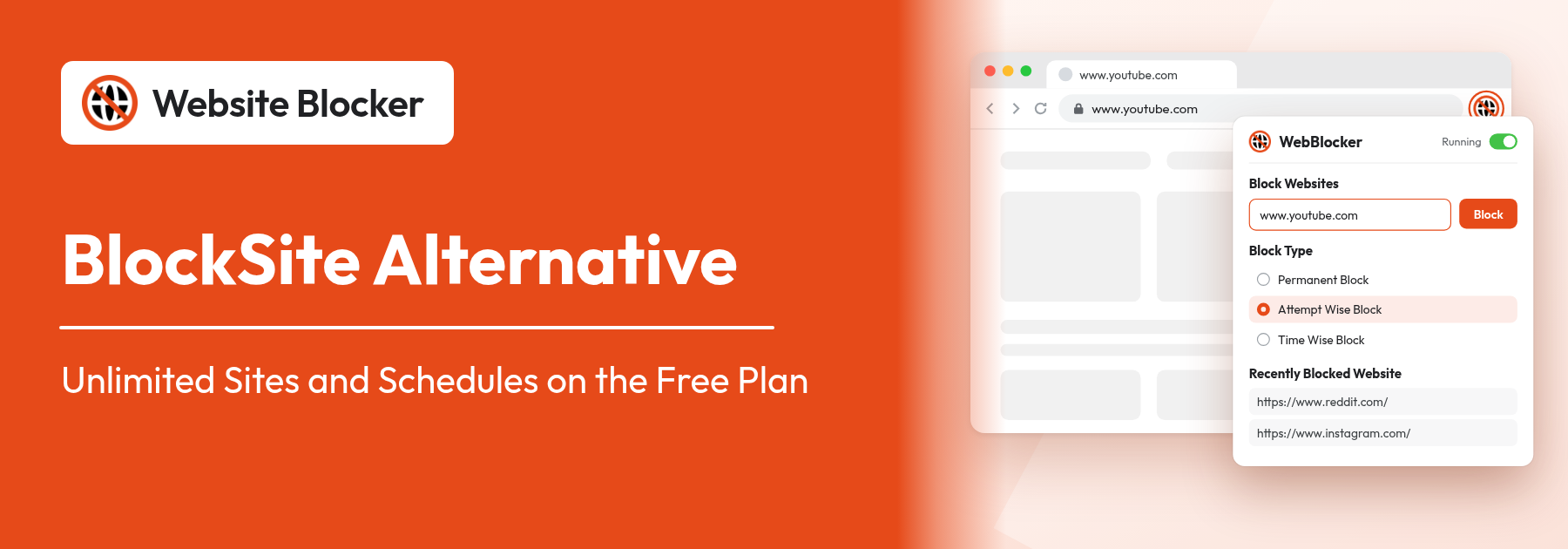
BlockSite alternative: the Website Blocker popup with Attempt Wise Block selected

Looking for a BlockSite alternative? BlockSite is one of the best-known site blockers, but its free plan limits how much you can block and doesn't include schedules. This guide compares BlockSite with Website Blocker, a free extension for Chrome, Edge and Firefox with unlimited sites, schedules and time limits on the free plan. It covers what each one does, where each is the better choice and how to move your block list across in a few minutes.

Extension: https://chromewebstore.google.com/detail/website-blocker/kniediipngcpmbmpeacaoinhoeipfina

A note before we start: we make Website Blocker, so we have an interest in the result. To keep the comparison fair, every fact about BlockSite comes from its own website and its Chrome Web Store page, checked on 29 October 2026, and we say plainly where BlockSite does more.

Why people look for a BlockSite alternative

BlockSite has more than a million users on the Chrome Web Store and a long feature list. The reasons people look elsewhere usually come down to four things:

  • The free plan is limited. BlockSite's own plan comparison lists the free plan as "Limited blocking", "1 device only" and "No scheduling". Unlimited blocking and automatic schedules are part of Premium.
  • The price. BlockSite sells Premium as a one-time "lifetime" payment. Its plan page showed $49.90, and its homepage showed $23.94 in a seasonal sale.
  • Privacy. In the privacy section of its Chrome Web Store page, BlockSite lists "Web history" as data it handles.
  • Language. BlockSite's Chrome extension is available in 17 languages. Arabic, Hebrew, Persian and Vietnamese aren't among them.

BlockSite vs Website Blocker at a glance

Here is how the two compare on the points people ask about most. BlockSite's details are from its website and Chrome Web Store page; Website Blocker's are for version 1.0.14 (the Edge version, 1.0.13, has no per-site reason or Reset time limit daily yet).

Website BlockerBlockSite
Free planUnlimited sites, schedules, time limits, visit limits, whitelist mode and password protection"Limited blocking", "1 device only", "No scheduling" (from BlockSite's plan comparison)
Paid planPro: $2.99 a month or $14.99 a year, 14-day free trial, cancel anytimeLifetime Premium: one-time payment ($49.90 on its plan page, $23.94 in a sale on its homepage)
Data disclosure on the Chrome Web Store"The developer has disclosed that it will not collect or use your data"Lists "Web history" as data it handles
Interface languages43, including Arabic, Hebrew, Persian, Vietnamese, Korean and Russian17, including Korean and Russian
BrowsersChrome, Edge, FirefoxChrome, Edge, Safari, plus a desktop app
Phone appsNoAndroid and iOS
Sync between devicesManual: export a settings file and import it elsewhereAutomatic (Premium)
Ways to blockPermanent, Attempt Wise (a set number of visits), Time Wise (a time limit or a custom schedule), Whitelist modeBlock list, schedule, daily usage limit, Focus Mode
Adult contentNo built-in category; word rules such as "porn" block every matching addressBuilt-in adult content blocker
Keyword blockingWord rules that match addresses (free); Keyword Blocking that reads page text (Pro)Blocks sites and apps by keyword
Block pageCustom message, a reason per site, redirect URL, auto-closeCustom block page, site redirect
Uninstall protectionThrough browser policies (step-by-step guides for Chrome on Windows and Firefox)Built-in uninstall prevention
ReportsHistory of blocked visitsInsights on browsing trends and time saved
Chrome Web Store30,000 users, rated 4.7 (143 ratings)1,000,000 users, rated 4.5 (32.5K ratings)

Where Website Blocker is different

Unlimited sites and schedules on the free plan

Website Blocker's free plan has no limit on the number of sites you block and no time limit on the plan itself. Schedules are free too: choose Time Wise Block, then Custom Schedule, pick the days and the start and end time, and click Set Time. See scheduled blocking for examples.

Three block types, including a visit limit

Instead of only "blocked" or "allowed", every site gets a Block Type:

  • Permanent Block: always blocked.
  • Attempt Wise Block: you can open the site a set number of times, then it is blocked. Reset attempt daily gives you a fresh allowance each day. Good for sites you need now and then but tend to open too often. See attempt-based blocking.
  • Time Wise Block: blocked after a time limit, such as 30 minutes a day with Reset time limit daily, or on a custom schedule. See flexible blocking rules.

Whitelist mode: allow only the sites you choose

Turn on Whitelist mode and every website is blocked except the ones on your whitelist. It's useful for exam days, deep-work sessions and young children, and it's free.

Precise rules: whole sites, single pages or words

The Contain filter blocks every address that contains your text, so youtube.com blocks the whole site and a word like "casino" blocks every address with that word. The Exact filter blocks one page and leaves the rest of the site open. The Contain vs Exact guide has examples.

No account, and your rules stay in your browser

You can block sites straight after installing, without signing up. Your block list and settings are stored in your browser's extension storage, and our Chrome Web Store listing states that the developer will not collect or use your data. Pro is activated with a license key sent by email.

Available in your language

The extension's interface is translated into 43 languages, including Arabic, Hebrew and Persian, as well as Vietnamese, Korean and Russian. See Website Blocker in your language.

A low price for the extras

Pro adds Keyword Blocking, Silent Block Mode, Disable Cooldown, Block Profiles and a Focus Timer for $2.99 a month or $14.99 a year, with a 14-day free trial. Each license works on up to 3 devices. Everything else in this article is in the free plan.

Where BlockSite is the better choice

Website Blocker isn't the right pick for everyone. Choose BlockSite if:

  • You need to block apps and sites on your phone. BlockSite has Android and iOS apps. Website Blocker is a desktop browser extension only.
  • You want automatic sync. BlockSite Premium syncs your block list between devices. With Website Blocker, you copy a settings file from one browser to another yourself (see website blocker for all browsers).
  • You want a one-switch adult filter. BlockSite has a built-in adult content category. In Website Blocker you build it yourself from a list and word rules, which takes about ten minutes with our list of adult websites to block.
  • You use Safari. BlockSite has a Safari extension; Website Blocker doesn't.
  • You want usage reports. BlockSite's Insights show your browsing trends. Website Blocker's History logs blocked visits, not your overall browsing.

How to switch from BlockSite to Website Blocker

Moving across takes about five minutes:

  1. Copy your BlockSite list. Open BlockSite's block list and write down or copy the sites on it, along with any schedules you use.
  2. Install Website Blocker from the Chrome Web Store, Edge Add-ons or Firefox Add-ons, and pin its icon to the toolbar.
  3. Add your sites. Type each one into Block Websites, choose a Block Type and click Block. For a long list, use CSV import to add them all at once.
  4. Recreate your schedules and limits. A BlockSite schedule becomes a Time Wise Block with a Custom Schedule. A daily usage limit becomes a Time Wise Block with a time limit (counted from your first visit of the day) and Reset time limit daily (Chrome and Firefox; not yet in the Edge version).
  5. Lock it down. Use Create Password, and in chrome://extensions open Details and turn on Allow in Incognito.
  6. Remove BlockSite. In chrome://extensions, click Remove under BlockSite, so two blockers don't compete over the same tabs.

New to the extension? Our step-by-step guide on how to block websites on Chrome covers every setting.

Other BlockSite alternatives

If neither fits, these are the other well-known options, each with a different approach:

  • LeechBlock NG: a free, open-source extension for Firefox, Chrome and Edge with detailed rule sets. Powerful, but it takes longer to set up.
  • StayFocusd: a Chrome extension built around a daily time allowance for distracting sites.
  • Cold Turkey Blocker: a desktop app for Windows and macOS that blocks sites in every browser and can block desktop apps. It has a free version and a paid one-time upgrade.
  • Freedom: a paid subscription service that blocks sites and apps on computers and phones at the same time.

The bottom line

If you block sites mainly on a computer and want unlimited sites, schedules, time and visit limits without paying, Website Blocker covers that on its free plan, in 43 languages and without an account. If you need phone apps, automatic sync or a built-in adult filter, BlockSite Premium does more. Many people only need the first.

Try our free website blocker extension, add your BlockSite list and see whether it's enough. Learn more about what a website blocker is and how it works, or the features to look for in a site blocker Chrome extension.

Frequently Asked Questions:

  1. 1. What is the best free alternative to BlockSite?

    For blocking sites on a computer, Website Blocker is a free alternative with unlimited sites, schedules, time limits, visit limits, whitelist mode and password protection on its free plan, for Chrome, Edge and Firefox. If you need phone apps or automatic sync, a cross-device service such as BlockSite Premium or Freedom is a better fit.

  2. 2. What does BlockSite's free plan include?

    BlockSite's own plan comparison describes the free plan as "Limited blocking (sites + apps)", "Manual usage only", "1 device only" and "No scheduling". Unlimited blocking, automated Focus Modes and sync are part of its Lifetime Premium plan. Check blocksite.co for the current terms.

  3. 3. Is Website Blocker really free?

    Yes. The free plan has no time limit and no limit on the number of sites, and includes all three block types, schedules, whitelist mode, block page settings, history, password protection and import/export. Pro is optional and adds Keyword Blocking, Silent Block Mode, Disable Cooldown, Block Profiles and a Focus Timer for $2.99 a month or $14.99 a year, with a 14-day free trial.

  4. 4. Can I move my BlockSite block list to Website Blocker?

    Yes. Copy the sites from BlockSite's block list, then add them in Website Blocker one by one or all at once with CSV import. Recreate a BlockSite schedule as a Time Wise Block with a Custom Schedule, and a daily usage limit as a Time Wise Block with Reset time limit daily (the timer runs from your first visit of the day, not only while the site is open). Then remove BlockSite so the two don't compete.

  5. 5. Does Website Blocker work on phones like BlockSite?

    No. Website Blocker is a desktop extension for Chrome, Edge and Firefox. Browsers on Android and iPhone don't run it. If you need to block sites and apps on your phone, use BlockSite's mobile app, Google Family Link or Screen Time.

  6. 6. Can Website Blocker block adult content like BlockSite?

    Yes, but not with one switch. Add word rules such as porn and xxx with the Contain filter, which block every address containing those words, plus a list of known adult domains. Our list of adult websites to block walks through it in about ten minutes.

  7. 7. Is Website Blocker available in Arabic, Hebrew or Persian?

    Yes. The extension is translated into 43 languages, including Arabic, Hebrew, Persian, Vietnamese, Korean and Russian, and you can switch the language from the extension itself.